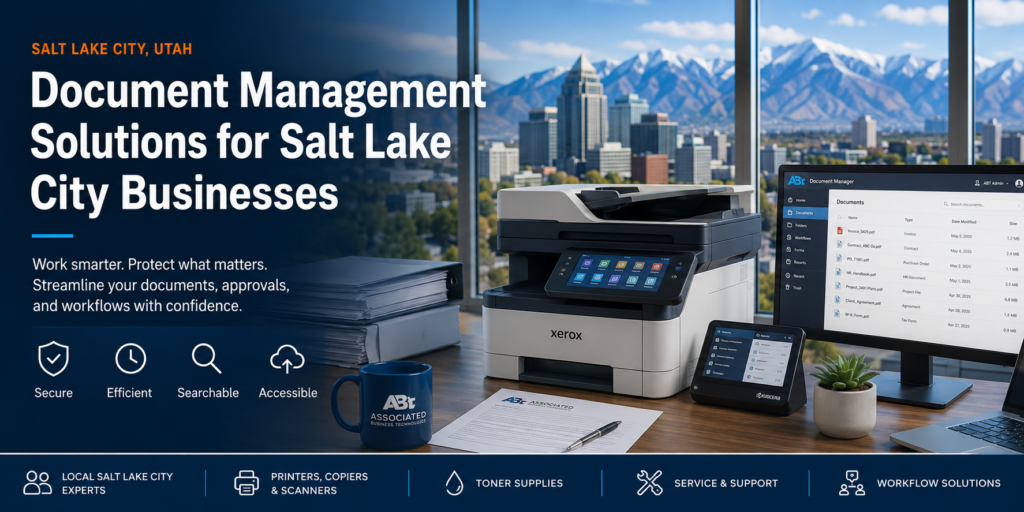
Document Management Solutions for Salt Lake City Businesses
Most businesses don’t have a document problem. You have a workflow problem that shows up as a document problem. When files are hard to find, approvals take too long, records live in too many places, and your team keeps printing, scanning, emailing, and re-saving the same information — your documents are slowing the business down.
For Salt Lake City businesses, document management is no longer just a “go paperless” conversation. It’s about building a cleaner, faster, and more accountable way to move information through your organization. Whether you’re in Salt Lake City, Murray, Sandy, Draper, West Valley City, South Jordan, Ogden, Provo, or anywhere along the Wasatch Front — your team needs documents to be searchable, secure, easy to route, and easy to retrieve.
What Is Document Management?
Document management is the process of capturing, organizing, storing, securing, routing, and retrieving business information. In plain terms: it helps your team stop wasting time looking for files and start using documents as part of a smarter business process.
A strong document management system lets you scan paper files, turn them into searchable digital documents, route them to the right person, protect them with permissions, and store them where your team can actually find them later. That matters whether you’re handling invoices, HR records, signed contracts, healthcare forms, legal documents, school records, work orders, shipping paperwork, or construction plans.
At Associated Business Technologies, you get more than a software recommendation. You get a local business technology partner that understands how your copiers, printers, scanners, toner supplies, service, and workflow tools all work together. That’s where document management becomes genuinely useful — instead of just another system your team has to manage.
The Real Goal: Better Business Flow
You didn’t buy a copier because you wanted another piece of equipment in the office. You bought it because information needs to move. Document management helps that information move faster — with fewer errors, fewer bottlenecks, and better control.
Why Salt Lake City Businesses Are Investing in Document Management
Business moves quickly across the Salt Lake metro area. Your customers expect faster answers. Your employees expect better tools. Your leadership team expects visibility. Compliance requirements may be getting more complex. And your office can’t afford to lose time because a file is sitting in someone’s inbox, buried in a shared drive, or locked in a filing cabinet.
Document management gives your team a more disciplined way to handle information. Instead of letting every department create its own filing habits, naming conventions, approval steps, and storage process, you can build a repeatable system that works across the business.
For a growing company in Salt Lake City or along the Wasatch Front, that consistency matters. A better document process can improve customer service, accounting speed, employee onboarding, vendor communication, project management, and compliance readiness — and it helps eliminate the daily friction of asking, “Where did that file go?”
Signs Your Current Document Process Is Costing You Money
Your document workflow may feel normal because your team has worked around it for years. But “normal” isn’t always efficient. If any of these sound familiar, your current process is probably costing more than you think.
Your team searches too long
When employees spend several minutes hunting for a file, invoice, or contract, that time adds up across the entire business.
Approvals get stuck
Invoices, purchase orders, contracts, or HR forms sitting in inboxes waiting for review? That’s unnecessary drag in your workflow.
Files live everywhere
Shared drives, desktops, email attachments, paper folders, and cloud folders create version confusion and security gaps.
Security is inconsistent
Sensitive documents shouldn’t be protected by guesswork. Your business needs clear access control and document visibility.
How Document Management Works
A practical document management workflow follows a simple pattern. The details change by business, but the goal stays the same: capture the information once, classify it correctly, move it where it needs to go, and make it easy to find later.
Capture
Scan or upload via copier, MFP, scanner, or software.
Index
Name, tag, and categorize by customer, vendor, project, or dept.
Route
File moves automatically to the right person or workflow.
Secure
Permissions protect sensitive info and reduce unauthorized access.
Retrieve
Search and retrieve the document quickly when needed again.
Key Features You Should Look For in 2026
Searchable Scanning (OCR)
Scanning should do more than create a digital image. With OCR, your scanned files become searchable by text — making it much easier to find invoices, names, dates, account numbers, project details, or contract terms. According to AIIM, organizations spend an average of 18 minutes searching for a document. OCR eliminates most of that.
Workflow Automation
Your business shouldn’t need to manually chase every approval. A document management solution can route invoices, contracts, forms, HR documents, and other records based on rules you define — automatically.
Secure Access Control
Not every employee needs access to every document. A good system lets you control access by user, department, role, or document type. This is especially important for financial records, HR files, medical paperwork, customer data, and legal documents.
Version Control
When multiple people work from different copies of a file, mistakes happen. Version control helps your team identify which document is current and reduces confusion from duplicate files.
Integration With Office Equipment
Your document system should connect with the equipment your employees already use — Xerox, Kyocera, Canon, HP, KIP, Formax, and Zebra devices. The easier the workflow from printer, copier, or scanner, the more reliably your team will use it.
Want to Know Where Your Workflow Is Breaking Down?
Associated can review how your team prints, scans, stores, routes, and retrieves documents — then recommend practical improvements that fit your business and budget.
How Document Management Connects With Your Copier and Printer Fleet
Your copier fleet is often the front door to your document workflow. Every time someone scans an invoice, prints a contract, copies a packet, sends a file, or archives a record, your equipment is part of the process. That’s why document management and managed print services should never be treated as separate conversations.
If your devices aren’t configured correctly, your team may create inconsistent file names, scan to the wrong locations, print more than necessary, or bypass security settings. When equipment is aligned with your document management strategy, the workflow becomes cleaner: employees scan directly into the right folders, route documents from the device, use secure print features, and reduce unnecessary output.
This is where Associated Business Technologies brings a real advantage. You don’t have to explain your print environment to a software-only vendor. Associated already understands office equipment, service, supplies, toner, uptime, and end-user behavior. That makes it easier to build a document process that works in the real world, not just in a demo.
Document Management by Industry
Healthcare
Patient forms, insurance paperwork, billing records, and HR files — document management improves retrieval, reduces paper storage, and supports controlled access.
Legal
Case files, contracts, signed documents, discovery materials, and client records need quick retrieval and version clarity. See our legal solutions page.
Construction & Engineering
Plans, permits, change orders, drawings, and project records — including wide-format files via KIP devices — need a workflow built for both standard and large-format output.
Education
Schools manage student records, admin files, HR documents, and financial paperwork. Document management creates consistent processes across offices and locations. See our education solutions.
Finance & Accounting
Invoices, POs, receipts, approvals, statements, and reports stack up fast. A smarter workflow speeds up approvals and gives your team better visibility into the process.
Warehousing & Logistics
Shipping documents, labels, packing slips, inventory forms, and work orders need to move quickly and accurately — Zebra label printers and scanning workflows help your operation stay organized.
Supported Brands and Workflow Equipment
The right document management strategy depends on the equipment and workflow needs inside your business. Associated supports a wide range of office technologies:
- Xerox Multifunction printers, scanning, secure print, and workflow-enabled office systems.
- Kyocera Reliable office devices designed for efficient document capture and output.
- Canon Imaging, scanning, and document handling for environments that need quality and consistency.
- HP Secure printing, scanning, and managed print options for small and midsize offices.
- KIP Wide-format document solutions for construction, architecture, engineering, and technical workflows.
- Formax Mailing, forms, finishing, and back-office document processing solutions.
- Zebra Labeling, barcode, warehouse, logistics, healthcare, and manufacturing workflow solutions.
Your advantage isn’t just access to equipment. It’s having service, toner supplies, device support, and workflow guidance connected through one local partner. See the full range of ABT services and copiers and printers we support.
Common Document Management Mistakes to Avoid
The biggest mistake is buying software before understanding the workflow. If you don’t know how documents enter your business, who touches them, where delays happen, and how files are retrieved later — you may end up with a system that looks impressive but doesn’t fix the real issue.
Another common mistake is ignoring the people who use the process every day. Your front office, accounting team, HR staff, warehouse crew, project managers, and service departments often know exactly where the bottlenecks are. Their input matters.
You should also avoid treating document management as a one-time setup. Your business will change, departments will grow, compliance needs may shift, and your copier and printer fleet will evolve. Your document system should be reviewed and refined as your business does.
Why Work With a Local Salt Lake City Technology Partner?
You can buy software from almost anywhere. But when your document workflow touches printers, copiers, scanners, toner, service calls, end-user training, and daily office habits — local support matters.
Associated Business Technologies works with businesses throughout Salt Lake City and the surrounding Utah market. That local experience matters because your team doesn’t need a generic document management pitch. You need a solution that fits your office, your equipment, your budget, your staff, and your growth plans.
When something needs adjustment, you want a partner who understands the environment and can support the equipment behind the workflow. That’s why Associated is a strong fit for businesses that want practical recommendations instead of overbuilt technology.
Already an ABT Customer?
Need service, supplies, or a device check-in? Our team is ready to help you get the most out of your equipment and document workflow.
Frequently Asked Questions
Is document management only for large companies?
No. Small and midsize businesses often see the biggest benefits because they have fewer resources to waste on manual searching, filing, routing, and rework. If your team handles recurring paperwork, approvals, or records, document management can help.
Can document management work with our current printers and copiers?
In many cases, yes. Associated can review your current printer, copier, scanner, and MFP setup to determine what can be integrated, improved, or replaced.
Does document management help with security?
Yes. A properly configured solution can support access permissions, audit trails, secure storage, and more consistent document handling — reducing risk compared to open shared folders, paper files, and uncontrolled email attachments.
Can you help with toner and service too?
Yes. Associated supports devices with toner supplies, service, and managed print services, so your document workflow is never disconnected from the equipment your team uses every day.
What is the first step?
A workflow assessment. Associated can review how documents currently move through your business and recommend practical improvements based on your actual process — at no cost to you.
Build a Smarter Document Workflow With Associated
Your documents should support faster decisions, cleaner approvals, better security, and stronger customer service — not slow everything down. If your team is still fighting paper files, messy shared drives, inbox approvals, or disconnected equipment, now is the time to modernize.